
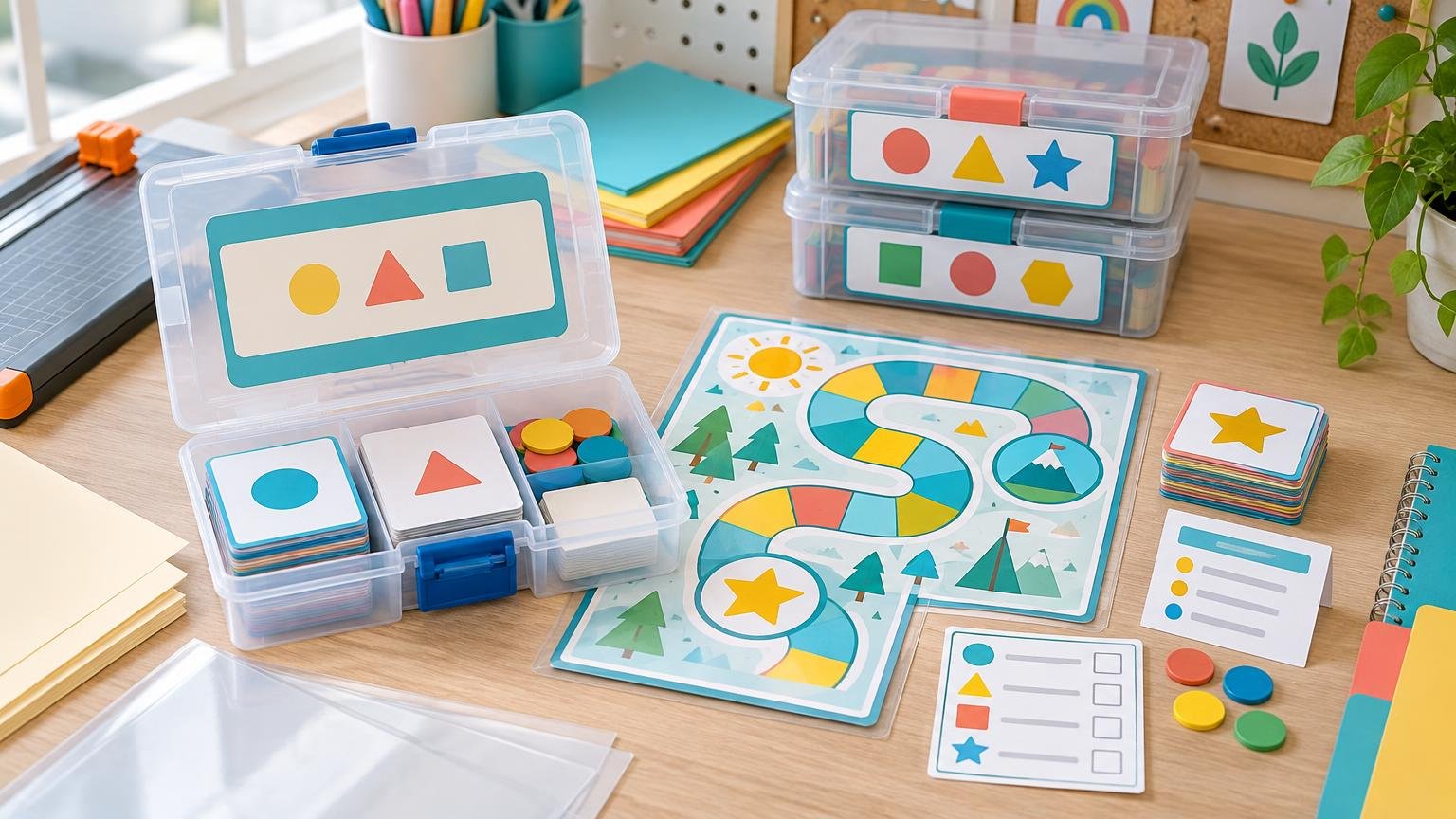
TLDR: Treat every printable classroom game as a kit rather than a stack of pages. Give it an ID, list every component, print and count the pieces in batches, place everything in one labeled container, and save a matching digital reprint folder. A reliable print classroom games organization system makes missing pieces easier to identify and replace without reprinting the entire game.
Printable games usually become difficult to use when their boards, cards, rules, and counters are prepared or stored separately without a record connecting them. The simplest answer is a two-part system: one complete physical kit for classroom use and one digital master folder for repairs. The container, label, inventory card, and digital folder should all carry the same game ID.
A print classroom games organization workflow
Start before you print. Create a short kit record that identifies the game and tells another adult what belongs in it. This record prevents a set of mystery cards or an unmarked board from becoming unusable later.
- Game ID: a short code such as MATH-014 or LIT-008
- Plain-language name: enough detail to distinguish similar games
- Subject and skill: for example, math and addition within 20
- Suggested grade band or group, if the game provides one
- Version: such as v1, v2, or a revision date
- Component list: boards, cards, directions, answer key, dice, counters, and reference pages
- Storage location: shelf, drawer, center bin, or seasonal box
- Digital folder name: the exact location of master and replacement files
Use the game ID on every component where practical. A small code on the back of each card, in a board corner, and on the directions makes it possible to return stray pieces to the correct kit. It also helps when two games use similar artwork or vocabulary.
Sort the pages before cutting anything
Separate the print file into production groups before reaching for scissors or a laminator. Boards and reference pages may need to remain flat, while cards and tokens need cutting. Directions, answer keys, and replacement sheets have different handling requirements again.
- Boards and mats: keep flat or fold only along an intentional design line.
- Cards: print, finish, cut, count, and bundle as one batch.
- Directions and answer keys: place at the front of the kit or in a clearly marked inner pocket.
- Reference pages: protect only if learners handle them regularly.
- Tokens and player pieces: store in a smaller inner bag so they do not scatter.
- Replacement sheet: keep digitally, with one printed copy only when immediate replacement is useful.
Print one test page first. Check scale, margins, front-to-back alignment, color contrast, and whether the smallest text is readable at normal use distance. If cards have backs, confirm the printer’s flip setting before producing the full batch. Check the printer documentation before feeding cardstock or another heavy medium because supported weights and feed paths vary by model.
Choose durability by component, not by game
Not every page needs the same treatment. Selective reinforcement usually costs less, reduces bulk, and makes damaged pieces easier to replace.
| Component or use | Practical material | Why |
|---|---|---|
| Temporary directions or answer key | Standard paper | Low handling and inexpensive to replace |
| Cards for occasional use | Cardstock | Easier to pick up and shuffle than thin paper |
| Frequently handled cards | Cardstock with lamination | Adds stiffness and protection from routine handling |
| Large board used on a table | Cardstock, laminated sheet, or removable sleeve | Choice depends on storage space, glare, and expected wear |
| Disposable recording page | Standard paper | Designed to be written on and replaced |
| Reusable write-on page | Laminated sheet or dry-erase sleeve | Can be wiped and returned to the kit |
| Small printed tokens | Cardstock or laminated cardstock | Needs enough stiffness for children to handle |
For a fuller material comparison, see the guide to paper, cardstock, and laminated learning cards. Lamination is most useful for high-touch pieces, spill-prone centers, and items that would take meaningful time to recreate. Materials likely to change, be written on permanently, or be used only briefly can remain unlaminated. The broader classroom lamination decision guide can help when cost, glare, stiffness, and reusability pull in different directions.
Laminating pouches are marketed for frequently handled documents and protection from spills, tears, and some marker use. Machine limits differ, however, including accepted pouch width and thickness, so confirm the laminator’s specifications before choosing supplies. Do not cut a thermal pouch before running it through the laminator; 3M’s guidance specifically advises against doing so. Let the finished sheet cool flat, and then trim while leaving a sealed border around each piece.
Assemble and count one complete kit
Finish one production stage at a time: test-print, print the complete batch, laminate selected sheets, allow them to cool, cut the pieces, and perform the final count. Cutting cards while other pages are still printing makes it easier to mix versions or overlook a failed sheet.
Lay out every component and compare it with the kit record. A complete kit might contain one board, 36 cards, one directions page, one answer key, two dice, four player pieces, and an inventory card. Write counts as specific quantities rather than vague entries such as “cards included.” Place cards and small pieces in separate inner bags when combining them would slow setup.
Store dedicated dice or counters inside the kit when the game needs unusual colors, symbols, or quantities. If it can use ordinary classroom manipulatives, list those as shared supplies instead: “Requires one standard die and 20 counters from the math bin.” This lowers duplication while making setup expectations clear.
Match the container to the largest component
Choose storage based on component shape, access, and shelf space rather than buying a hard case for every game. Paper materials last longer when they are supported by suitable enclosures, kept relatively dry, and protected from unnecessary light exposure. The Library of Congress provides additional guidance on the care and storage of paper materials.
| Game type | Low-cost storage option | Setup note |
|---|---|---|
| Cards only | Resealable bag or small envelope | Add a stiff backing sheet if cards curl |
| Board and cards | Flat project envelope with an inner card bag | Keep directions at the front |
| File-folder game | Labeled file folder with attached pocket | Count detachable pieces after use |
| Oversized board | Flat art portfolio, map drawer, or large project envelope | Do not force the board into a smaller bin |
| Several small center games | Photo cases inside one shallow bin | Label both case and bin location |
| Seasonal games | Large category envelope or lidded bin | Use individual inner kits for each game |
The National Archives recommends folders or other enclosures and containers that do not require paper records to be bent or rolled to fit. It also notes that both overfilled and underfilled boxes can contribute to damage or distortion. In classroom terms, avoid cramming an oversized board into a small pouch, but also avoid a large box that lets loose sheets slump and slide. Use a correctly sized envelope, a rigid backing board, or dividers to provide support.
For boards designed around a folder format, the site’s file folder games offer examples of the format, while the printable game boards collection can help you assess the board sizes and storage styles your library needs.
Use an outside label and an inside inventory card
The outside label is for retrieval. Keep it short enough to scan on a shelf: game ID, title, subject or skill, and storage category. Color can distinguish subjects, but repeat the category in text so the system does not rely on color alone.
Choose one primary shelving logic—such as subject—rather than trying to file simultaneously by subject, grade, season, and group size. Put secondary details on the label or in a digital index. A useful outside label might read: “MATH-014 | Make Ten | Addition | Grades K–1 | 2–4 players.” For a large library that needs durable, consistent identification, professionally printed custom labels and stickers are one option; ordinary printable address labels or handwritten cardstock tags also work.
The inside inventory card is for setup, return, and repair. Place it where the person packing the game will see it before closing the container.
- Game ID, title, and version
- Board or mat quantity
- Card quantity, including categories when relevant
- Number and type of player pieces
- Dice, spinners, clips, counters, or other accessories
- Directions and answer-key quantities
- Shared supplies required but not stored inside
- Digital reprint folder or filename
- Missing-item field and date checked
Build a digital master that supports small repairs
The physical kit keeps a game playable today; the digital folder makes it repairable later. Use one folder per game and match its name to the physical game ID. Preserve the original download, but create clearly named working and print files instead of overwriting it.
- 00_Source: original PDF, source notes, and permitted-use information
- 01_Editable: editable originals, when available and allowed
- 02_Print: current classroom-ready PDF
- 03_Replacements: card sheets, token sheets, boards, and other separately printable parts
- 04_Preview: a small image or PDF that helps identify the game
- 05_Notes: version history, printer settings, paper choice, duplex setting, and finishing instructions
A filename such as MATH-014_make-ten_cards_v2.pdf is more useful than final-cards-new.pdf. Include the game ID, component, and version. Record special print settings such as “actual size,” “flip on short edge,” or “print page 6 for replacement cards.” Store only materials you are permitted to retain and reproduce, and avoid placing student names or other unnecessary personal information in reusable game masters.
Create a missing-piece routine
A missing component should trigger a small repair process, not the retirement of the entire game. First, mark the shortage on the inventory card and keep the kit out of circulation if the missing item prevents fair or functional play. Then identify the replacement file, print only the required page, match its material and finish as closely as practical, and update the kit record.
- Write the missing component and date on the inventory card.
- Check the kit, center area, return tray, and stray-piece container.
- Open the matching digital folder and verify the current version.
- Print the smallest replacement unit available.
- Finish, trim, and label the replacement with the game ID.
- Recount the whole kit and return it to its assigned location.
Keep one small “found game pieces” container near the return area. Once a week or at the end of a center rotation, use printed IDs to reunite stray cards and tokens with their kits. Unidentified generic counters can return to shared supply bins.
Reusable Game Kit Inventory and Reprint Record
Copy this compact template onto a half sheet or index card for the physical kit, then keep a fuller version in a spreadsheet if you manage many games.
- Game ID / title / version:
- Subject / skill / grade band:
- Storage location:
- Boards or mats: _ expected / _ present
- Cards: _ expected / _ present
- Directions: _ expected / _ present
- Answer key or reference pages: _ expected / _ present
- Dedicated pieces: type _ / quantity _
- Shared supplies required:
- Digital folder and replacement filename:
- Print notes: paper, scale, duplex setting, lamination, cutting
- Missing or damaged item:
- Action taken and date:
- Last complete inventory date:
Maintain the system without creating extra work
Check a kit when it returns from use, but reserve detailed maintenance for a regular interval such as the end of a unit, month, or term. Confirm component counts, wipe reusable surfaces according to the material’s care requirements, remove damaged bags, and update labels when a game changes location or version.
Start with one frequently used game. Assign its ID, create the inventory card, choose a container that fits the largest component without bending, and build the matching digital folder. Once that kit works smoothly, repeat the same structure across the rest of the collection. Consistency—not an expensive container—is what makes classroom games easier to find, use, repair, and return.