
TLDR
For effective parent night handouts printing, give each family a short keep packet containing classroom contacts, routines, important dates and immediate next steps. Add only school-approved forms that families can complete or return. Put long or frequently changing resources online, but label every QR code and provide a printed or staff-assisted alternative. Use duplex printing for reference sheets, single-sided pages for forms, and color only when it improves navigation or understanding.
Whether your school calls the event parent night, back-to-school night, curriculum night, open house or meet-the-teacher night, the goal is the same: families should leave knowing what happens next. A thick packet can hide the schedule, contact method or form that matters most. A lean parent night handouts printing plan makes those items easy to find during the event and useful once the family gets home.
A practical parent night handouts printing plan
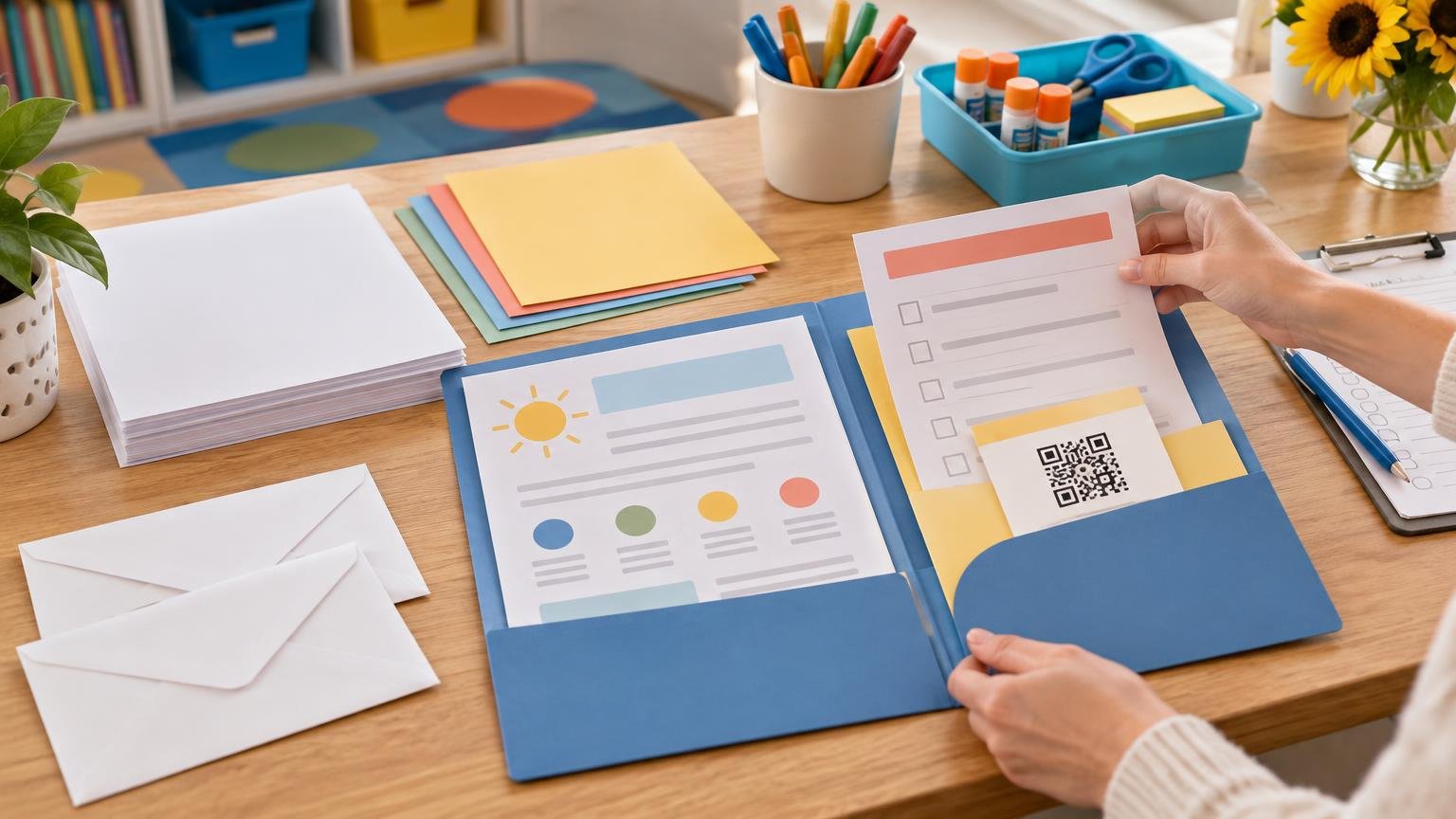
Build the packet around three jobs: information to keep, actions to take and forms to return. This is more useful than organizing pages by the school office or committee that created them.
| Packet section | What belongs there | Suggested treatment |
|---|---|---|
| Keep | Contact details, routines, calendar and communication instructions | One concise sheet or a short duplex set |
| Act | Immediate tasks, sign-ups and clearly labeled links | Short checklist with deadlines |
| Return | Locally approved forms that require a response | Separate single-sided pages when handwriting or collection is involved |
| Reference online | Handbooks, menus, presentations and changeable schedules | Named QR destination plus a readable web address and offline access option |
Mark these sections clearly. A simple “Keep at home” or “Return to teacher” label is more helpful than relying on paper color alone. If several departments contribute pages, appoint one person to remove repetition and verify that dates, contact details and instructions agree.
What families should receive
The core packet should answer the questions a family is likely to have the next morning or during the first weeks of school. It does not need to reproduce the full presentation.
- Classroom or program contact information, including the preferred communication channel and expected process for urgent matters.
- Arrival, dismissal, attendance and transportation instructions that apply to the class or event audience.
- A short explanation of recurring routines, such as weekly folders, homework communication or library days.
- A first-month calendar or list of important dates, with dates written clearly rather than presented only as day numbers.
- An immediate-action checklist showing what to complete, return or review and when each item is due.
- Only the school-approved forms appropriate for collection at the event or shortly afterward.
The U.S. Department of Education’s family partnership resources emphasize supporting conversations between families and schools and include resources for English learner families. That broader goal supports a packet that makes communication routes and next steps visible rather than burying them in background information.
If you want to add a decorative cover or class-themed page, make it earn its place. It could double as the checklist, calendar or contact sheet. Existing back-to-school printables may help with supporting classroom materials, but the take-home packet should remain focused on family tasks.
What belongs on the classroom information sheet
A one-page or double-sided classroom guide can become the packet’s main reference. Put the most important information near the top, use plain-language headings and leave enough white space to separate unrelated instructions.
Front: contacts and daily logistics
- Teacher, office or program contact details approved for family use.
- The preferred way to report an absence, transportation change or routine question.
- Arrival and dismissal times and the correct location, where locally appropriate.
- A short statement explaining where families should look for regular updates.
- Any action required before the next school day or meeting.
Back: routines and dates
- A short weekly routine, limited to details families need to act on.
- The next several important dates, including deadlines and schedule exceptions.
- Instructions for folders, borrowed materials or other items moving between school and home.
- A short list of approved digital resources, each identified by purpose.
- A note explaining how to request paper information, language support or help accessing a resource.
Avoid shrinking the type simply to preserve a one-sheet format. If the page becomes crowded, remove duplicated explanations or use a second sheet. A readable two-page guide is better than a dense page families cannot scan quickly.
What to link instead of printing in full
Online delivery works well for long resources, material that changes frequently and pages families may need only occasionally. Examples include the complete handbook, monthly menus, presentation slides, detailed club information, reusable sign-up pages and an always-current school calendar.
A QR code should not stand alone. Print a plain-language label such as “Open the current lunch menu” or “Choose a conference time” directly beside it. Where practical, include a readable short web address so a family can type the destination on another device. Test both the code and written address from the final printed proof, not only from the design file.
Do not make internet access the only route to essential information or required participation. Guidance from the Institute of Education Sciences cautions against requiring internet access for family-engagement activities, supporting the use of paper or another accessible option alongside digital links. Keep a few printed reference copies available, tell families how to request one later, or provide staff assistance during the event.
Forms worth completing during parent night
Event-time completion can reduce the chance that a simple form disappears into a bag, provided the form is approved and families have adequate time and privacy. An IES and NCES resource recommends distributing caregiver surveys with other materials and inviting completion during back-to-school nights and similar events.
Depending on local procedures, appropriate examples may include communication preferences, volunteer interest, conference availability or routine contact updates. Every form should state who should complete it, whether it is optional or required, where it goes and when it is due.
Keep return pages separate from the family reference guide. Single-sided printing usually makes sense when staff must sort, scan or file individual forms, or when the reverse side could be overlooked. Provide pens or pencils and create a clearly marked collection point.
Do not casually collect sensitive medical, disability, custody or other protected information through a general event packet. Follow the school or district’s approved form, privacy process and secure collection method. Local policy should determine which staff members may receive the information.
Make every handout easier to read and use
Readability begins with editing. Use short sections, descriptive headings, familiar words and direct instructions. Write “Return this form to Room 4 by September 6” instead of assuming families know where or when to send it.
- Use strong contrast between text and background; pale decorative text can be difficult to read and reproduce.
- Keep body text comfortably legible and avoid squeezing long instructions into footnotes.
- Write out or clearly format dates, especially when a numeric date could be interpreted in more than one way.
- Leave generous space for names, phone numbers, selections and handwritten comments.
- Do not use color as the only way to distinguish actions, deadlines or packet sections.
- Prepare translated versions or arrange interpreter support according to school policy and the needs identified locally.
- Offer a paper access route for essential material linked online.
- Print one final proof and check every side, page order, URL, QR code and writing area.
IES family-involvement guidance supports helping families understand what to expect and offering multiple communication options. The practical printing lesson is straightforward: families should not have to decode the packet before they can use it.
Choose duplex, single-sided and color printing deliberately
Duplex printing is a good fit for material that stays together, such as a classroom guide with contacts on the front and routines on the back. It reduces paper volume without asking families to manage more loose sheets. Add a visible “See reverse” note if important information appears on both sides.
Use single-sided printing for pages that must be returned separately, posted in different places or completed against a hard surface. It may also be preferable when the reverse side could show through or when staff need to scan forms individually.
Color is worth the expense when it carries a real function: separating calendar categories, reproducing a map, identifying a dismissal route or making a chart easier to understand. Black-and-white printing is usually sufficient for text-led contacts, routines and forms. Check that every color-coded feature remains understandable in grayscale.
Small classroom quantities are usually easiest to print and assemble on site. For a large schoolwide event, professionally produced sets may be useful when consistent duplexing, folding or finishing will save substantial staff time; options for professionally printed handout sets can be considered alongside local copier capacity. Compare the entire workflow, including proofing, delivery, sorting and the risk that late changes will make preprinted pages outdated.
How many packets should you print?
There is no universal copy count. Start with RSVPs when they are reliable, recent attendance for a comparable event or the number of expected households rather than the number of students. Then add a modest buffer based on local experience. A school expecting families to visit several classrooms should also decide whether each household needs one general packet plus classroom-specific sheets.
Keep extra packets unassembled until the final check if dates or staffing details may change. Save an accessible digital master for absentees and late enrollees, while preserving a way to request a paper copy. Record how many packets were distributed and left over so the next event has a better local estimate.
Final preprint checklist
- Confirm every date, room, name and contact route.
- Verify that forms and collection procedures have local approval.
- Check which pages families keep, complete or return.
- Label every QR code with its destination and purpose.
- Test QR codes and typed links from a printed proof.
- Confirm that essential information is available without mandatory internet access.
- Check translated versions and language-support arrangements.
- Review privacy handling for all collected information.
- Decide which pages should be duplex and which must remain single-sided.
- Print by expected household count, then add a locally reasonable buffer.
- Prepare a small station with writing tools, spare forms and staff help.
- Save the final digital master for follow-up copies.
Send families home with a usable next step
A successful parent-night packet is not the one with the most pages. It is the one a family can open later and quickly find a contact, date, routine or required action. Start with one concise reference guide, separate the return forms, and link longer resources without making digital access mandatory. Once the content is approved, print a complete proof and use it exactly as a family would: scan the code, read the schedule, complete the form and identify where it should go. Any friction you find is worth fixing before the full print run.