
TLDR
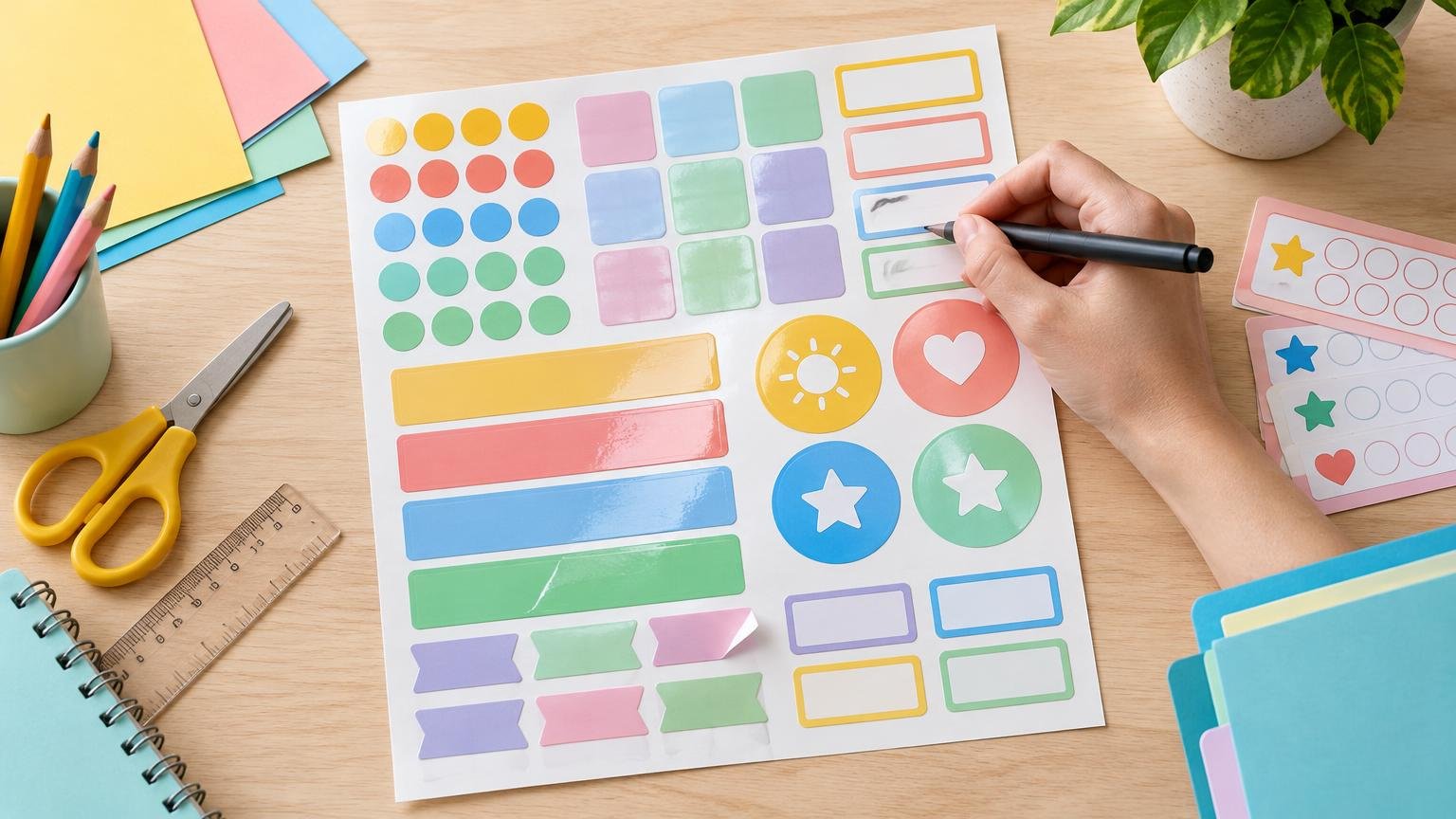
Choose classroom sticker sheets by starting with the job, not the design. Small repeated stickers suit reading logs and brief acknowledgments. Medium writable labels work for student names, notebooks, and folders. Larger text-and-icon labels are easier to use on bins, cubbies, and classroom centers. Pick a writable finish if information will be added by hand, select adhesive according to how long the label should remain, and test one sticker on the actual surface before producing the full set.
The best classroom sticker sheets form a practical system rather than a single all-purpose product. A shiny reward sticker, a temporary cubby label, and a long-term supply-bin label may need different sizes, finishes, and adhesives. Defining the purpose first prevents common problems such as cramped handwriting, hard-to-read text, labels that lift too soon, or removable products that do not behave as expected on a particular surface.
Start with the sticker’s classroom job
Sort the project into one of four broad jobs before choosing a template or material. Recognition stickers acknowledge a completed task, routine, or goal. Identification labels connect a name with a notebook, folder, cubby, or other item. Routine prompts show what to do or where something belongs. Organization labels identify bins, shelves, book collections, activity centers, and shared supplies.
| Classroom job | Useful format | Main design priority |
|---|---|---|
| Rewards and reading programs | Small repeated circles, squares, or simple custom shapes | Fast application and a clear message |
| Student names | Medium rectangles or rounded rectangles | Writable space or variable printed names |
| Notebook and folder labels | Rectangles sized to the available flat area | Readable name, subject, or class information |
| Routines and visual prompts | Medium or large text-and-icon labels | Recognition from normal viewing distance |
| Bins, cubbies, and centers | Large rectangles or custom-cut labels | High contrast and easy category recognition |
| Rotating jobs or seasonal displays | Removable labels in an easy-to-handle size | Clean changes and enough room for updates |
Avoid asking one design to do everything. A small sticker may be excellent on a reading tracker but frustrating as a handwritten name label. A large bin label may be clear from across a room but waste space on individual notebooks. If the project involves rewards beyond stickers, printable classroom coupons offer another low-cost format that can be tracked and reused.
Choose a size that fits the message and surface
Measure the application area before designing. Include handles, seams, curves, ridges, and places that receive frequent contact. The sticker needs to fit on a genuinely flat usable area, not merely within the object’s overall dimensions.
For a starting mock-up, try small stickers around 0.75 to 1.25 inches for reading logs and brief acknowledgments. Rectangles around 2 to 3 inches wide often provide more practical room for a student name or short subject label. Bin and cubby labels may need to be larger, especially when they combine a word with an icon. These are planning ranges rather than universal standards; print a plain-paper sample at actual size and view it where the finished label will be used.
- Leave a generous blank area if names or dates will be handwritten.
- Use short wording instead of shrinking text to fit a decorative border.
- Make the important word or icon larger than supporting information.
- Keep essential content away from cut lines and rounded corners.
- Test long names and category words, not only short placeholders.
- Check whether the label remains recognizable when a bin is on its shelf.
Match the shape to handling and layout
Rectangles make efficient use of sheet space and accommodate names, subjects, and short instructions. Rounded rectangles retain that useful writing area while eliminating sharp paper corners that can catch during handling. Circles work well for compact icons, points, dates, and brief praise. Custom shapes add visual interest to rewards or themed activities, but irregular outlines can reduce writing room and complicate home cutting.
Use repeated identical cells when every child receives the same design. Use an editable grid when names, book levels, group names, or classroom jobs vary. A full-sheet design provides the most flexibility for custom cutting, large visual prompts, or mixed sizes, although it creates more trimming work. Pre-cut label sheets are faster when the template aligns correctly with the printer.
Choose writable, matte, glossy, or film material
Paper and film stocks are available with different finishes, including matte and glossy surfaces. Avery describes both its matte paper and glossy paper options as writable with ballpoint pen or permanent marker, but that is a product-specific statement rather than a guarantee for every sticker material. Test the exact pen, marker, printer, and stock before committing to a full run.
Choose a writable surface when details change
A matte or explicitly writable stock is generally the practical choice for blank name labels, due dates, rotating classroom jobs, book-bin levels, and labels completed during an activity. Check drying time and rub the sample with a clean finger after the ink has set. This reveals smearing before dozens of labels reach student hands.
Use coated finishes for fully printed designs
Glossy or coated stickers can give illustrated rewards and fully printed graphics a more polished appearance. They are less convenient when teachers or students need to add information later, unless the exact material and writing tool have been tested together. The comparison in our guide to matte and glossy classroom stickers can help when glare, fingerprints, and handwriting are the deciding factors.
Treat film as a product-specific choice
Film may make sense when a project needs properties offered by a particular product, but do not assume every film sticker is waterproof, removable, or compatible with every printer. For example, Avery lists one removable full-sheet film product as compatible with laser printers and pigment-based inkjet printers and makes specific water- and wear-resistance claims for that product. Those details should not be generalized to other sticker paper.
Select removable or permanent adhesive by lifespan
Use removable adhesive when labels will change during room resets, seasonal displays, rotating jobs, short units, or annual reassignment of cubbies and bins. Permanent adhesive is more appropriate when long-term attachment matters more than easy removal. Even then, consider whether the underlying folder, furniture, container, or book will eventually need to be relabeled.
The word “removable” does not guarantee identical performance on every surface. One Avery removable-label page specifically warns against applying that product to plastic, textured, scratch-resistant, or water-resistant surfaces. That limitation illustrates why the exact label must be tested on the actual classroom item.
- Clean and dry a small, inconspicuous area without using a cleaner that leaves residue.
- Apply one printed test label using normal pressure.
- Leave it in place for a realistic trial period.
- Check the edges after ordinary handling.
- Remove it slowly and inspect both the label and surface.
- Repeat the test if the same label will be used on several materials, such as painted wood, plastic bins, metal cabinets, and laminated folders.
Use reward stickers as specific acknowledgments
A reward sticker is more informative when it names or accompanies a concrete action: “Ready on time,” “Completed the cleanup routine,” or “Reached today’s reading goal.” The U.S. Department of Education’s What Works Clearinghouse practice guide on teacher-delivered behavioral interventions recommends acknowledging expected behavior through positive attention, praise, and rewards, with acknowledgments selected and delivered thoughtfully and equitably in K–5 settings.
That guidance does not establish that every sticker system improves learning or motivation. Treat the sticker as one possible acknowledgment within a broader classroom approach. Pair it with brief, behavior-specific verbal feedback, consider whether public display is appropriate, and make sure the system does not consistently overlook children who need a different form of recognition.
Calculate quantity before choosing a sheet layout
Estimate quantity from actual use rather than ordering a convenient round number. For repeated rewards, multiply the number of recipients by the expected stickers per person and the number of weeks or sessions. Then add a modest allowance for new students, damaged stickers, printing errors, and unexpectedly busy weeks.
For example, 24 students receiving an estimated two stickers per week over nine weeks would require 432 stickers. Adding 10 percent for spares produces 475.2, so the practical minimum becomes 476. This is a planning calculation, not a prediction of exact use. If several designs share one sheet, calculate each design separately so an unpopular message does not occupy space needed for a frequently used one.
- Count each student or labeled object.
- Estimate how often the sticker will be used.
- Multiply by the number of weeks, units, or replacement cycles.
- Add spares based on how difficult reprinting would be.
- Divide the total by the number of usable stickers per sheet.
- Round up to full sheets, then allow for at least one test sheet.
Home printing versus professional sticker printing
Home printing is usually the flexible choice for small quantities, changing student names, short-term indoor labels, and designs that may need revision. It lets you print only what is needed, but it also requires compatible sticker stock, careful alignment, ink or toner, cutting, and time for troubleshooting. If you are producing stickers yourself, this guide to making printed stickers at home covers the basic workflow.
Professional production becomes worth considering when the same design will be used repeatedly, the quantity is large enough to make home cutting burdensome, or the project needs consistent custom shapes and material options. There is no universal quantity at which ordering becomes cheaper: compare the delivered price with the cost of sheets, ink or toner, failed prints, cutting, and preparation time. For a repeat design such as school-event stickers, long-term supply labels, or a standard recognition series, you can compare custom sticker printing with the complete in-house workload.
Before ordering, confirm the finished dimensions, sheet arrangement, adhesive, finish, writing requirements, and whether the supplied artwork includes sufficient space around cut lines. Requesting or producing a small proof first is especially useful when names, icons, or small text must remain readable.
Pre-print checklist for classroom sticker sheets
- Purpose: Is this a reward, name label, routine prompt, tracker, or organization label?
- Surface: What exact material will receive the sticker?
- Lifespan: Should it last a day, a unit, a term, or several years?
- Adhesive: Does it need to be removable, or is long-term attachment the priority?
- Writing: Will anyone add a name, date, score, or note after printing?
- Compatibility: Is the stock approved for the intended inkjet or laser printer?
- Readability: Can the main word, name, or icon be recognized in its real location?
- Layout: Does the sheet contain the right mix of repeated and variable labels?
- Testing: Has one sheet been printed, written on, handled, applied, and removed?
- Quantity: Does the total include test prints, replacements, and a reasonable number of spares?
Make the first sheet a test sheet
The most reliable classroom sticker plan begins with one job, one measured surface, and one sample sheet. Check size and readability on plain paper, then test the intended sticker material with the real printer, writing tool, and classroom surface. Once the sample survives normal handling and removes or stays attached as intended, scale the design to the required quantity. That short test is usually less costly than replacing an entire set of labels that looked right on screen but failed in use.